E-mail forwarding
Click the E-Mail Forwarding tab to define general e-mail forwarding settings.
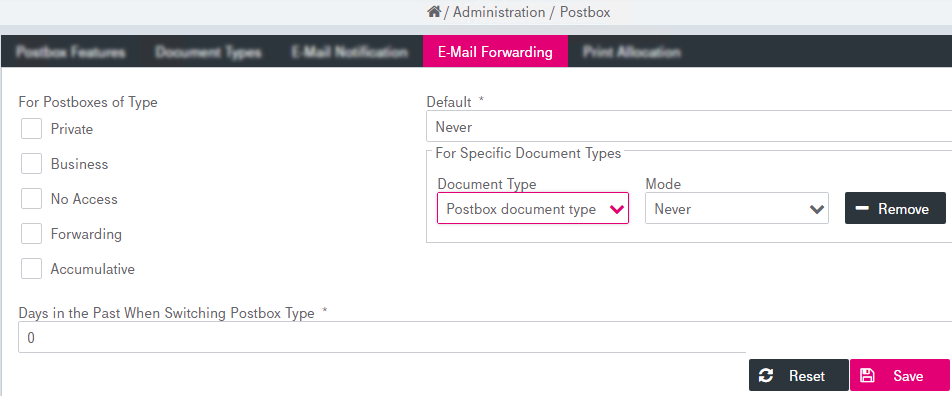
Figure 217: Postbox – e-mail forwarding
To configure e-mail forwarding settings:
-
Specify for which Postbox types e-mail forwarding will be enabled by checking the check boxes for each defined type.
-
If no Postbox type is selected, a Default value can be defined which becomes valid for all document types. The value applies to all document types that are not defined explicitly with a deviating processing mode. Possible values are:
-
never (set by default)
-
immediately
-
hourly
-
daily
-
-
The forwarding can be configured for each document type separately:
-
Select the Document Type from the list.
-
Specify the Mode forwarding property. You can also click Remove / Add Document Type.
-
-
Specify a timeframe setting that defines the days in the past for which documents will be sent by E-Mail in case a postbox with documents is set to type forwarding postbox. Sending can be deactivated by setting Days in the Past When Switching Postbox Type property to zero.
- Click Save. If successful, a corresponding message will be displayed (similar to Saving and canceling changes). To abort the operation, click Cancel instead of saving.