Logger settings
To modify logger settings, you may either create a new logging scenario that will be available for usage, or modify an existing logger.
Click the Logger tab to modify logger settings:
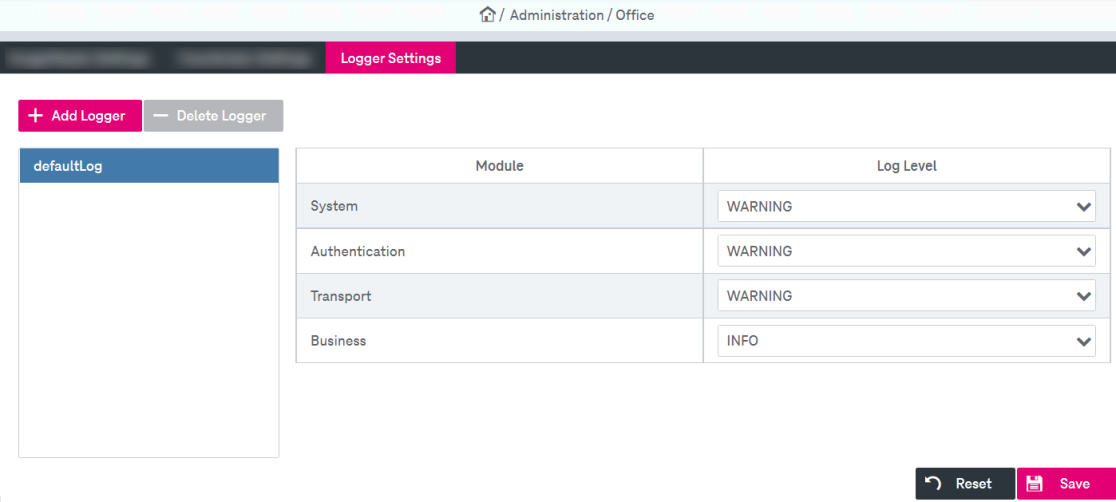
You may do the following actions with logging scenarios:
-
create a new logger
-
delete a logger
-
configure logger settings
To create a new logger
-
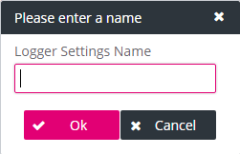
Click Add Logger Settings. The creation dialog is displayed.
-
Enter the new logger name and click OK. A Logger Settings dialog is displayed. To modify the settings follow the steps below.
-
Click Save.
To modify a logger
-
Select the logger in the list box on the left panel.
The properties are displayed on the right panel. See Office – logger settings.
-
To modify a log level for a module, click the corresponding line in the Module column and the list of levels will be displayed.
The following log levels are available: SEVERE / ERROR / WARNING / INFO / DEBUG / OFF / TRACE. For default values see Office – logging parameters below.
-
Click Save.
To delete a logger from the list
-
Click Delete Logger and confirm.
-
Click Save.
|
Parameter |
Internal Name |
Default |
|---|---|---|
|
System |
SYS |
WARNING |
|
Authentication |
AUTH |
WARNING |
|
Transport |
TRANS |
WARNING |
|
Business |
BUS |
INFO |