Open the Crypto tab and select the Service Providers sub-tab to display and configure the service providers. The service providers are responsible for assuring the electronic identification of signatories and services by using strong mechanisms for authentication, digital certificates and electronic signatures.
When opening the page, the names of the currently used providers with the original information in brackets are displayed.
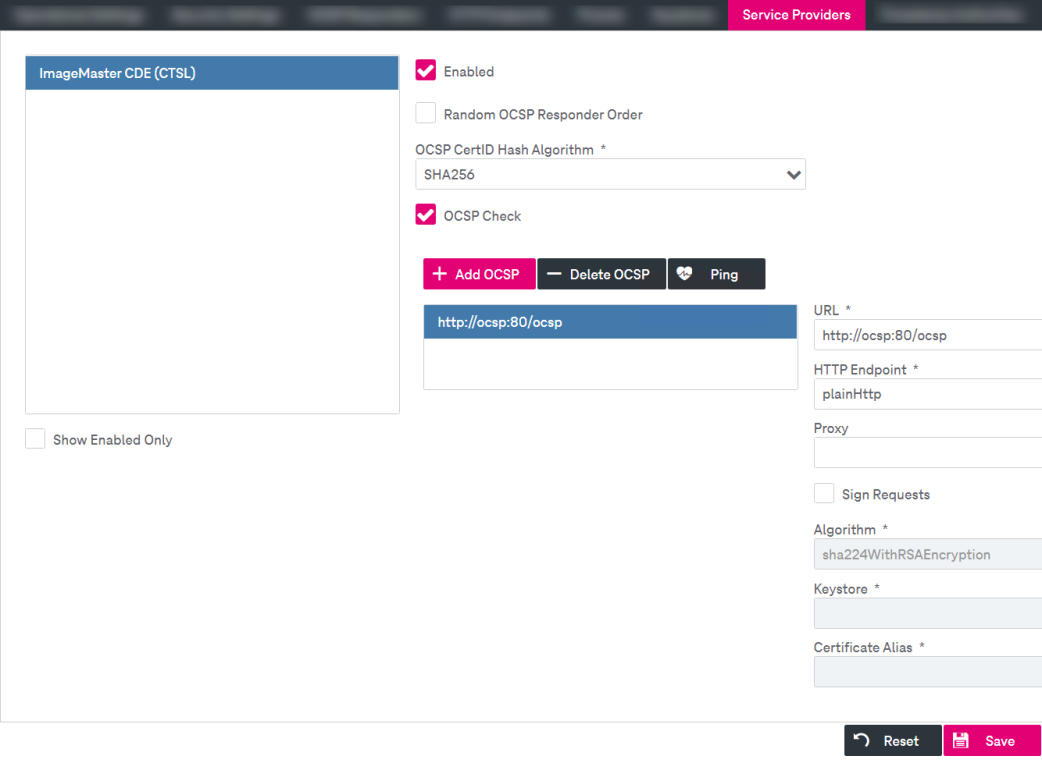
Figure 211: Signatures – settings: service providers
-
To view and configure the provider settings, select the desired entry from the list.
-
To filter the list and display only enabled providers, select Show Enabled Only below the list.
-
Configure the following settings as desired:
-
Enable: Select the check box to enable the provider functionality.
-
Random OCSP Responder Order: Select the check box to allow random order of the OCSP responders, which are requested.
-
OCSP CertID Hash Algorithm: Select the hash algorithm used to generate the issuer-name and public- issuer-key hash values.
-
OCSP Check: Select the check box to enable OCSP validation. If the OCSP check is enabled, it is possible to add and remove OCSP responder entities.
-
To add an OCSP responder, click Add OCSP.
-
Specify the name in the dialog and click Ok. The OCSP will be added to the list.
-
Configure the following settings:
-
URL: Specify the path to the Certificate Authority certificate revocation list.
-
HTTP Endpoint: Define the endpoint to access the certificate revocation list. See HTTP endpoints for more details.
-
Proxy: Define the proxy configuration to access the certificate revocation list. See Proxies for more details.
-
Sign Requests: Select the check box to enable the signing of each request.
If enabled, configure the following settings:
-
Algorithm: Specify the algorithm to be used.
-
Keystore: Specify the keystore. See Keystores for more details.
-
Certificate Alias: Define the certificate alias.
-
-
-
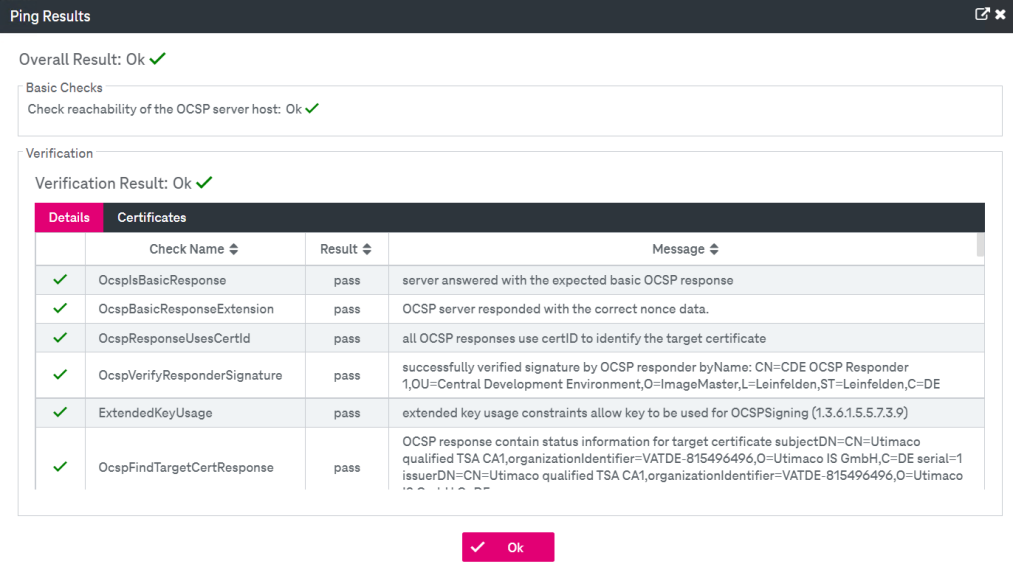
The availability of a selected service provider can be checked by clicking Ping. The results of the base check and service provider verification are displayed in the overlay window:
-
To delete a service provider from the list, click Delete OCSP.
-
-
Click Save to complete the settings.