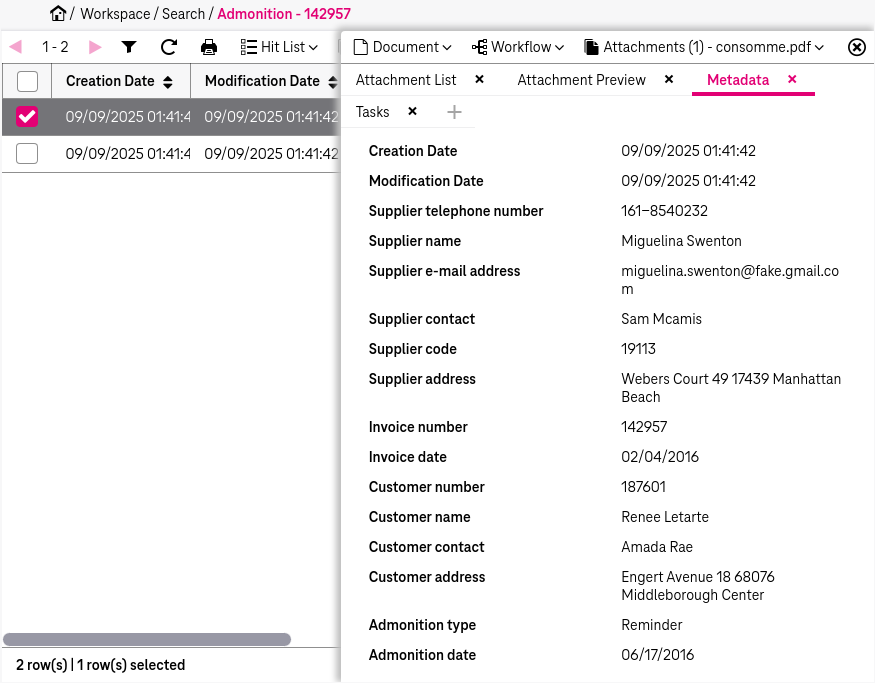
The starting point for a search is the search page, which will be displayed by default after login. Alternatively it can be reached by clicking the link Workspace > Search in the navigation menu (see Basic page structure). A search page is divided into the following areas1:
-
the sliding Search Criteria workspace with the following subtabs (available by clicking the button Search Criteria):
-
Dossier (chapter Overview of dossier functionality)
-
Search (chapter Search criteria panel)
If you move from Searchto Dossier, the hit list is refreshed and displays the dossier documents for the selected node. If you move back to Search, the hit list shows the results of your last index or text search.
-
Personalized searches (chapter Personalized attribute searches)
-
After a search further views will be presented (see View of a document entry opened from hit list after a search):
-
the hit list for presenting search results (chapter Hit list)
-
the sliding document preview with document information and further functions (chapter Document preview)